
PDC Dev Studio Enterprise · For institutions

Every campus, cohort and class, in one dashboard.

Give your whole institution PDC Dev Studio from one allocation. Group students, faculty and staff into cohorts, launch Colonies and builds for entire classes, and see how AI is used by campus, cohort and person. Counts only, never content.

Included for pilot institutions. Setup is managed for you from day one.
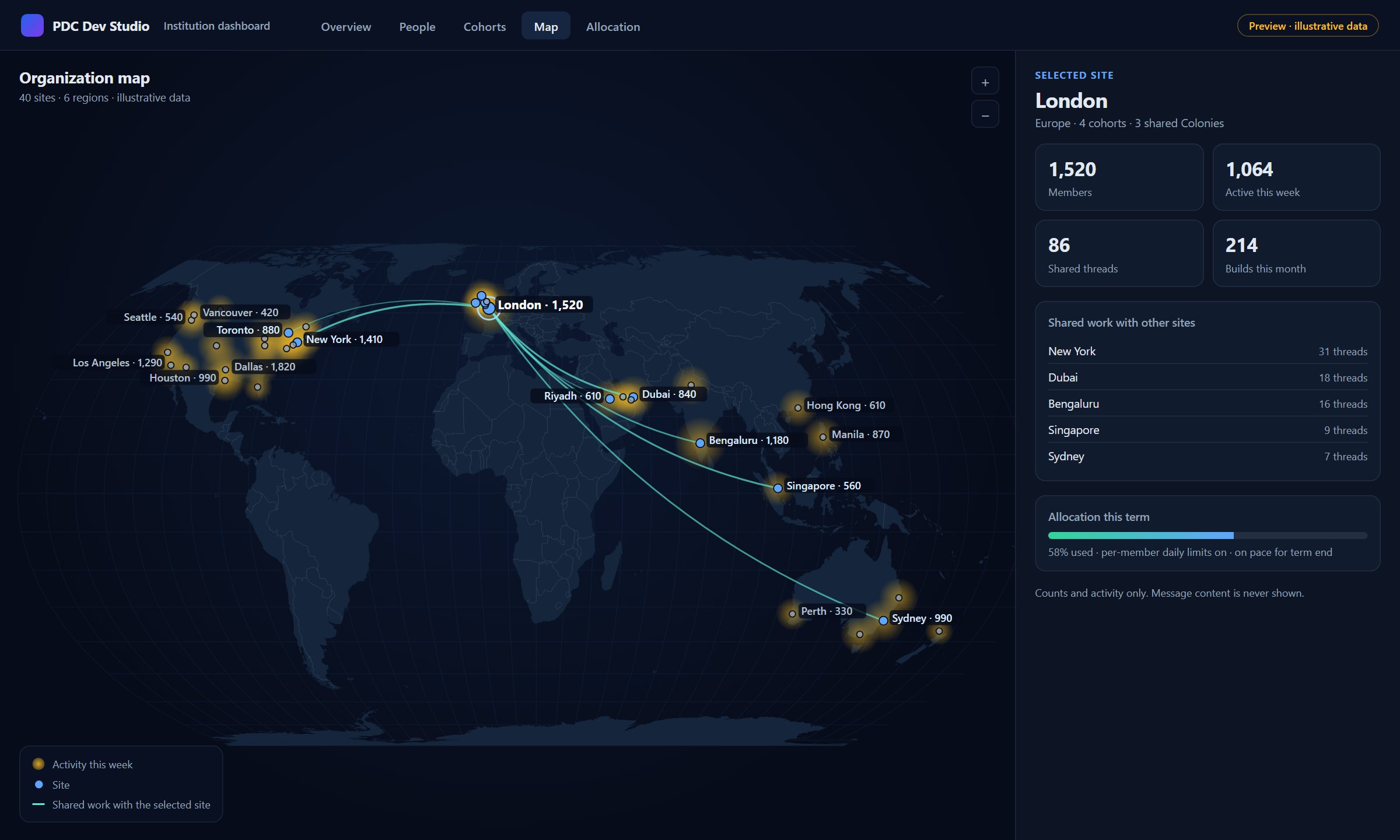
Institution dashboard map view: sites across North America, Europe, the Middle East, Asia and Australia shown by weekly activity, with London selected and lines to the sites it shares work with. A side panel lists members, active members, shared threads, builds this month and allocation used this term.
Dashboard preview with illustrative data: a global organization at a glance.
What admins run

Four jobs, one place.

Deans, eLearning directors and department chairs get the controls a campus rollout needs, without asking every instructor to set things up alone.

Usage

See who is using it

Active members, requests and allocation used, by person, cohort and campus. Spot the classes that took off and the ones that need a nudge.

Cohorts

Group the people who work together

Turn a class, section or team into a cohort with its own class thread. Faculty join as co-owners and can add their students.

Colonies

Launch a Colony for a course

Faculty run the Colony; the whole class follows its progress view-only. Nothing for students to install.

Builds

Build once for the whole class

Start a build for a cohort: a lab module, a study guide, a working app. The finished deliverable lands in the class thread for every member.

The institution map

See where the work happens.

Campuses and sites sit at their real locations. Activity shows as warmth on the map. Select a campus or a cohort to see who is working together across locations.
  • Campus to classroom. Start with the whole system, then open one campus, one cohort, one person.
  • Cohorts across locations. A course taught on three campuses reads as one group, not three spreadsheets.
  • Pace at a glance. Allocation used per cohort and per campus, against the term.
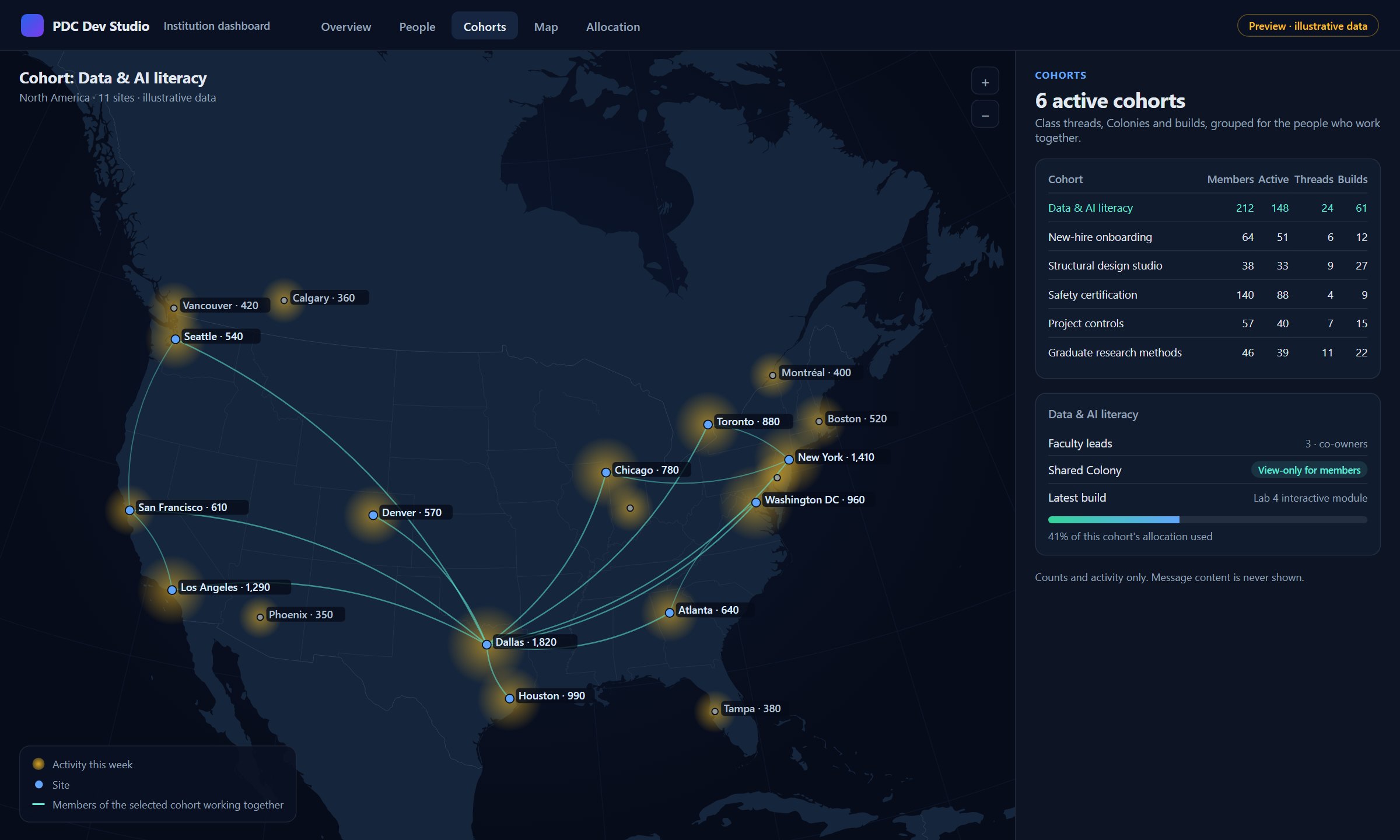
Institution dashboard cohort view: a North America map with the Data and AI literacy cohort selected across eleven sites, next to a table of six cohorts with members, active members, threads and builds, and a panel showing faculty co-owners, a view-only shared Colony and the cohort's allocation used.
Cohort view with illustrative data.
The allocation model

One allocation for the whole institution.

No seat-by-seat signups and no surprise invoices. The institution funds one allocation, and every member draws from it through a plan matched to their role.

Pilot

One flat pilot fee. We set up every member for you: students, faculty and staff each get the plan that fits the work they do.

Allocate

Members draw from the institution's allocation. Per-member daily limits keep any one account from draining it, and the dashboard shows the pace against the term.

Convert

The pilot fee is credited toward your campus license. Members keep their accounts, threads and builds. Nobody starts over.

Visibility without surveillance

Admins see activity. Nobody reads anyone's work.

Counts, never contentThe dashboard shows usage and activity. Messages, thread text and transcripts stay private to the people in the thread.
Each role sees its own scopeAdmins see counts per person. Faculty see their own cohorts. Students see only themselves.
Members know what is visibleWhen people join, they are shown exactly what their institution can see.
Your data stays yoursWe do not use your code, prompts or institutional materials to train AI models, and pilot data is never used for marketing.
Pilot status

What your pilot includes.

From day one
  • Accounts for every member, matched to role
  • Class threads with faculty as co-owners
  • Colonies shared view-only with a class
  • Builds delivered into the class thread
  • A weekly usage brief for your admin team
Rolling out to pilot admins
  • The self-serve dashboard: usage by person, cohort and campus
  • Cohort invites for a whole roster at once
  • The institution map
  • One pooled allocation with per-member daily limits
For your developers

Build on your institution's own material.

The Distil API turns a large, stable source package, such as a course pack, a policy library or a program handbook, into a hosted context handle. Your own tools then run task-specific questions against it without resending the source every time.

Get started

Bring your institution in this term.

Tell us your institution, your role and what you need. We will follow up with pricing and a pilot plan.